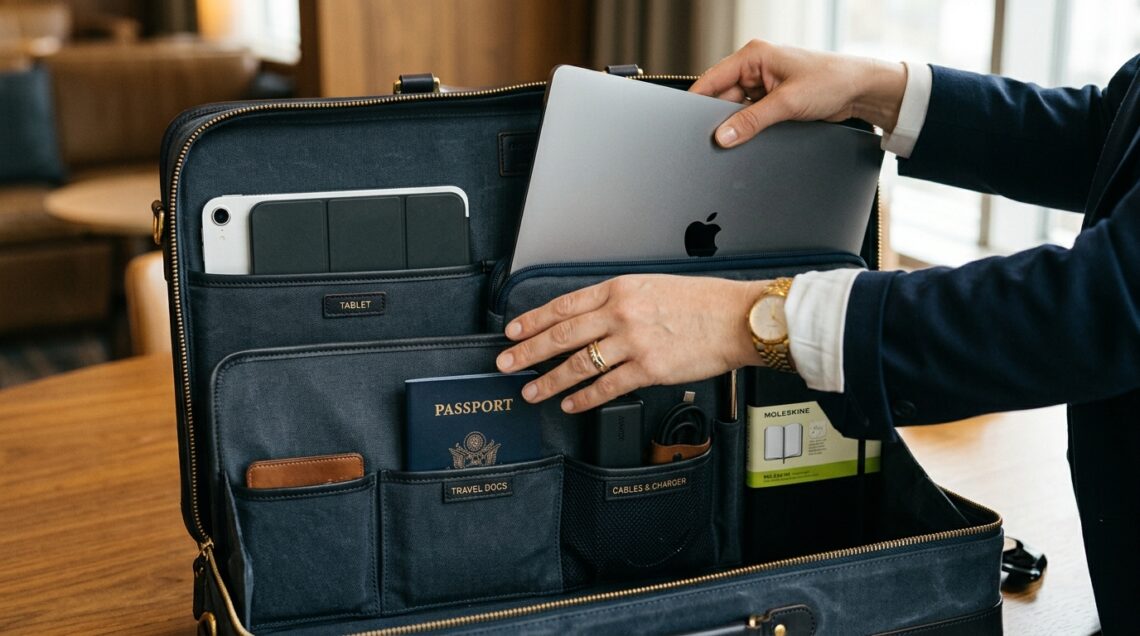
Airport security lines, overhead bin Tetris, and the quiet panic of realizing your laptop is wedged under a seat somewhere—business travel exposes every weak point in a bag. The right laptop bag should protect your equipment, keep your essentials accessible, and let you move through terminals without fumbling. That balance of protection, organization, and portability is exactly what this guide will help you evaluate, and resources like a detailed Luxury Pro Bags review can show how specific models handle real-world travel demands
Quick Answer
Choose a laptop bag for business travel by matching the bag type to your trip length and physical needs first, then confirming four things: a padded compartment sized to your actual laptop, checkpoint-friendly access, durable materials like ballistic nylon or water-resistant fabric, and transport style—briefcase, backpack, messenger, or rolling—that suits how far you’ll carry it. Get those right before worrying about brand or aesthetics.
Key Takeaways
- Bag type should follow your trip pattern: backpacks suit walking-heavy and multi-day trips, briefcases suit client meetings, rolling bags suit heavy loads and long concourses.
- A padded, correctly sized laptop compartment matters more than almost any other feature—an oversized sleeve lets your device shift and strike surfaces.
- Checkpoint-friendly designs and quick-access pockets save real time at security and during boarding.
- Materials and zippers determine how long the bag survives overhead bins, seatbacks, and rainy taxi lines.
- Carry-on dimension limits vary by airline, so verify your bag against the specific carrier you fly most.
Start With Your Travel Pattern, Not the Bag
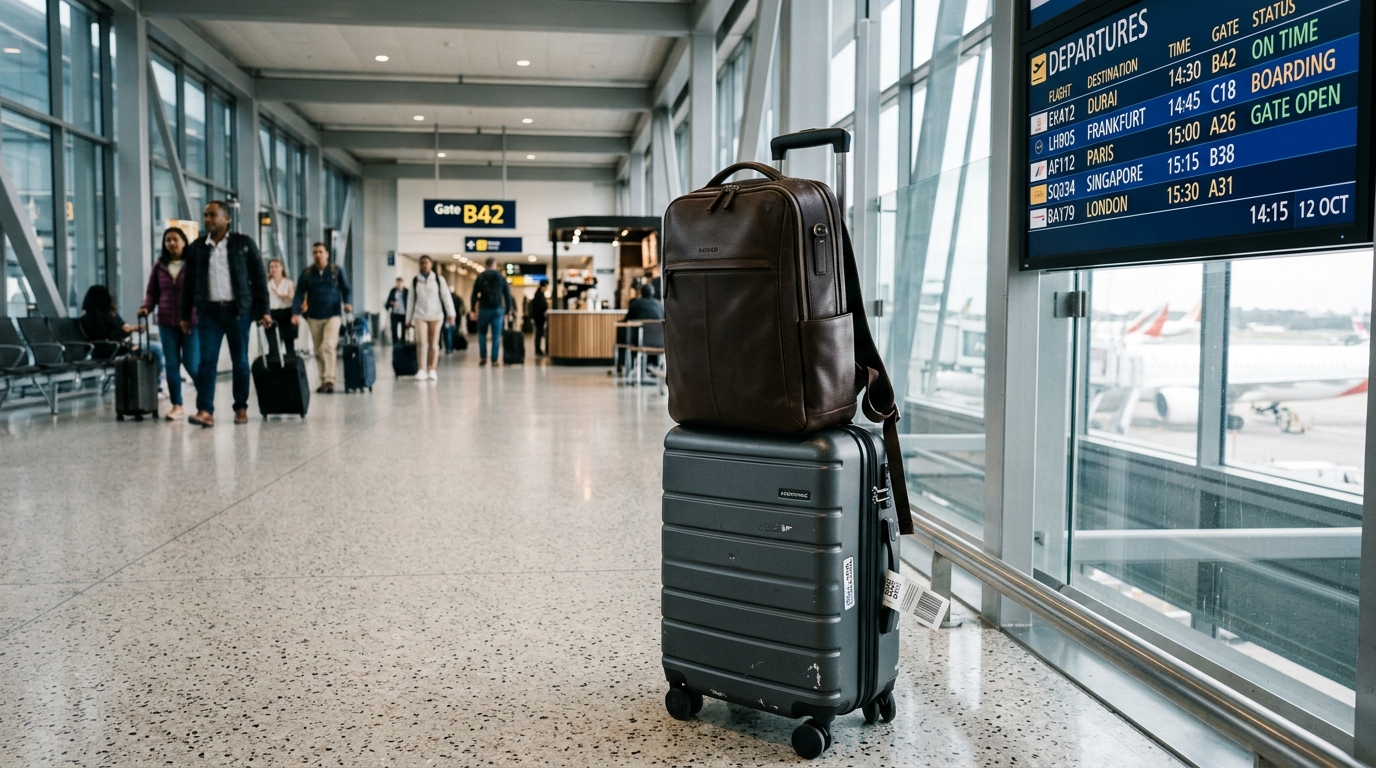
The most common mistake is buying a bag on looks or a single feature, then discovering it fights your actual routine. Bag choice flows from three questions: How far do you carry it (airport walk vs. parking lot to office)? What do you carry (one laptop vs. laptop plus clothes)? And what environments does it enter (boardrooms, factories, co-working spaces, trains)?
Frequent flyers who walk long distances usually regret single-strap messenger bags. Professionals in client-facing meetings often find a bulky backpack undermines the image they want. There’s no universally best type—only a best match for your pattern.
Comparing the Main Bag Types for Business Travel
| Bag Type | Best For | Main Advantage | Main Trade-off |
|---|---|---|---|
| Backpack | Multi-day trips, walking-heavy routes | Even weight distribution, hands-free | Less formal look; slimmer laptop padding in some designs |
| Messenger bag | Short commutes, minimal gear | Quick access, professional-casual look | Uneven weight on one shoulder |
| Briefcase | Client meetings, day trips | Formal appearance, structured protection | Limited capacity, awkward for long walks |
| Rolling laptop bag | Heavy loads, long airport concourses | Zero shoulder strain | Wheels add bulk; less useful on stairs or cobblestones |
If your trips involve both flights and walking, a hybrid approach often works best: a rolling bag or carry-on for the bulk of your gear, and a slim sleeve or packable backpack for meetings.
Get the Laptop Compartment Right
Measure your laptop’s actual dimensions, not just its screen size. A 15-inch laptop from one manufacturer can differ noticeably from another, and sleeve sizes vary between models.
A properly sized compartment holds the device snugly so it can’t slide. Oversized compartments are a real problem: during turbulence or a sudden stop, a loose laptop can shift and strike the bag’s interior or edges. Look for:
- Suspension or elevated design that keeps the laptop off the bag’s bottom edge
- At least a few millimeters of dense foam padding on all sides
- A separate tablet sleeve if you carry both devices
- A soft lining that won’t scratch finishes
If the bag’s laptop section is removable, that’s a bonus—you can carry just the sleeve to a meeting and leave the rest at the hotel.
Checkpoint-Friendly Access and Organization
TSA and many international security programs allow laptops to stay in bags that open flat and present the device unobstructed. A bag designed for this saves you from juggling bins and trays, though rules and enforcement vary by airport. Even without relying on it, a bag that opens flat is easier to pack, inspect, and repack without disrupting everything else.
Organization matters just as much. A practical business travel setup includes:
- A quick-grab pocket for passport, boarding pass, or phone
- Dedicated slots for chargers, cables, and a power bank
- A water-resistant pocket for a water bottle or compact umbrella
- A discreet, secure spot for a wallet or keys
Too many compartments can be as frustrating as too few—if you can’t remember where things are, the organization isn’t working, If you want to explore more accessories for your trips, check out our guide to find the best affordable crossbody bags for women this year.
Materials, Zippers, and Durability
Business travel bags take a beating: overhead bins, seatbacks, taxi trunks, and occasional rain. Materials that hold up include ballistic nylon, high-denier polyester, and treated canvas or leather. Water-resistant coatings and sealed zippers help when weather turns.
Zippers and hardware fail before fabric does. Look for YKK or comparable zippers, metal pulls, and reinforced stitching at stress points like handles and strap anchors. A bag’s weakest points are usually where the strap meets the body and where the zipper curves around corners—check those areas first.
Sizing for Airline Carry-On Rules
Carry-on limits differ by airline, cabin class, and aircraft. Rather than guessing, check the published dimensions for the airline you fly most often and compare them against the bag’s exterior measurements, including wheels and handles on rolling models.
A practical habit: if a bag’s dimensions are close to the limit, assume it may be gate-checked on smaller aircraft or full flights. Keeping essentials (laptop, documents, medication) in a small personal item ensures you’re never separated from them.
Practical Decision Checklist
- Measure your laptop and confirm the compartment fits it snugly.
- Match the bag type to your typical trip and walking distance.
- Check the bag against your main airline’s carry-on dimensions.
- Inspect zippers, stitching, and strap attachment points.
- Confirm quick-access pockets for travel documents and chargers.
- Weigh the bag empty—every extra pound competes with your gear.
Frequently Asked Questions
Is a backpack or briefcase better for business travel?
Backpacks suit walking-heavy and multi-day trips because they distribute weight across both shoulders. Briefcases suit shorter, client-facing trips where appearance matters more than carrying comfort. The right choice depends on how far you carry the bag and what image your environment expects.
Do rolling laptop bags fit in overhead bins?
Many do, but it depends on the bag’s dimensions and the aircraft. Rolling bags with wheels and handles often sit close to carry-on limits, so verify measurements against the specific airline and aircraft you’ll use.
How much padding does a laptop compartment really need?
Enough dense foam to absorb minor impacts on all sides, plus an elevated bottom so the laptop never rests directly against the bag’s base. Suspension-style designs offer the best protection against drops and turbulence.
Are checkpoint-friendly bags worth it?
They can save time and reduce hassle at security, but rules and enforcement vary by airport and program. If you fly frequently, a flat-opening, checkpoint-friendly design is a practical convenience even when you can’t rely on keeping your laptop inside.
What material lasts longest for frequent business travel?
Ballistic nylon and high-denier polyester are common choices for durability and water resistance. Leather can look more professional but requires more care. In every case, zipper and stitching quality often determines lifespan more than the exterior fabric.
Conclusion
Choosing the right laptop bag for business travel comes down to matching the bag to your actual routine: how you carry it, how far, and what you pack. Prioritize a snug, well-padded laptop compartment, checkpoint-friendly access, durable hardware, and a carry-on size that fits your airline. Once those boxes are checked, features like style and extra pockets become refinements rather than compromises.